
Softphia
The sale is only one part of your business.
Softphia connects the work at the counter with what happens in the stockroom, workshop and office. Each engine has a clear role. The operational records connect them.
One connected platform
One transaction. A clear path through the business.
- 01Customer
- 02Order
- 03Sale & payment
- 04Stock & production
- 05Finance & reporting
Softphia
The right screen for each role.
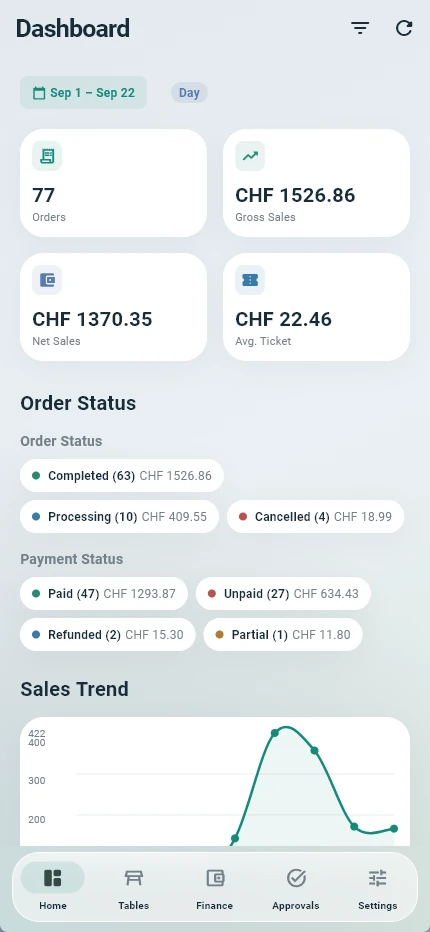
SoftPOS runs the sale. SoftKitchen runs the kitchen queue. SoftPanel manages the operation. SoftBoss brings management information to mobile.
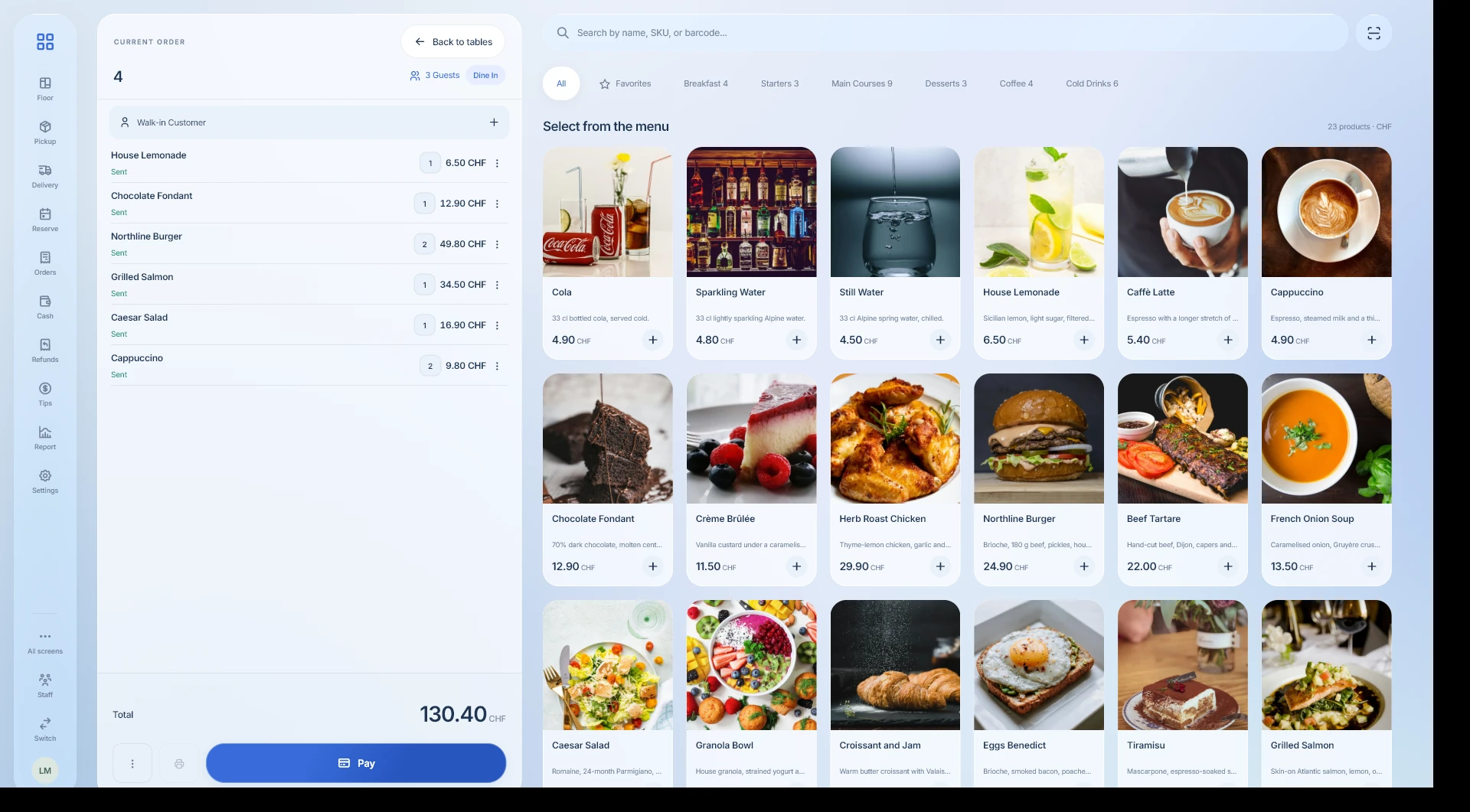
Commerce & POS
From the first item to the final payment.
Take orders, keep carts on hold, split restaurant bills, process refunds and close the register. The sale remains connected to its customer and payment records.
Your team completes the transaction without rebuilding it in another tool.
Tips
Record tips with the payment and review the register session’s tip pool.
Orders & checkout
Add products and services, assign the customer and record the sale and payment.
Held orders
Keep a cart on hold and restore it when the customer is ready.
Split bills
Distribute a table’s items across separate bills without re-entering the order.
Refunds
Process refunds against the original sale and its payment records.
Register & X/Z reports
Open the register, review its movements and close it with a recorded count.
Inventory & supply
Know which stock is available, and where.
Work with lots, expiry dates and warehouse movements. Send stock between locations and record receiving approvals. Keep supplier invoices and their payments visible.
Stock decisions start with quantities and movements, not a separate spreadsheet.
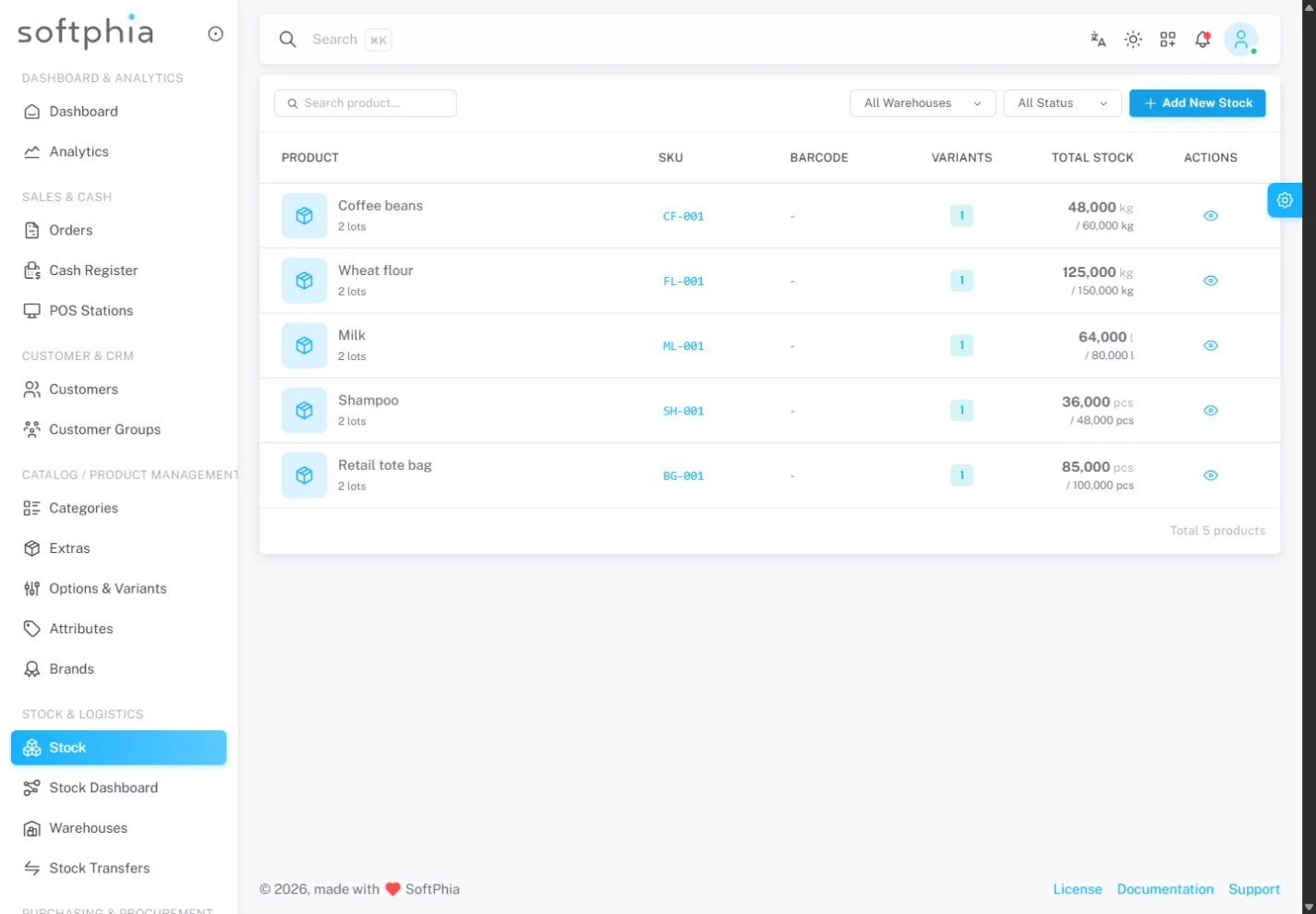
Lots & expiry dates
Track product quantities by lot and warehouse, with expiry dates and movement history.
Stock allocation
Allocate stock using FIFO, FEFO, LIFO or cost-based LCFO strategies.
Transfers & receiving
Move stock between warehouses and record the quantities accepted at the destination.
Supplier invoices
Track purchase invoices and record supplier payments against them.
Recipes & production
Turn materials into traceable finished stock.
Define recipe versions, output quantities and scrap rates. Start production orders, consume material lots and create finished-stock lots on completion.
Production and sales work with one inventory.
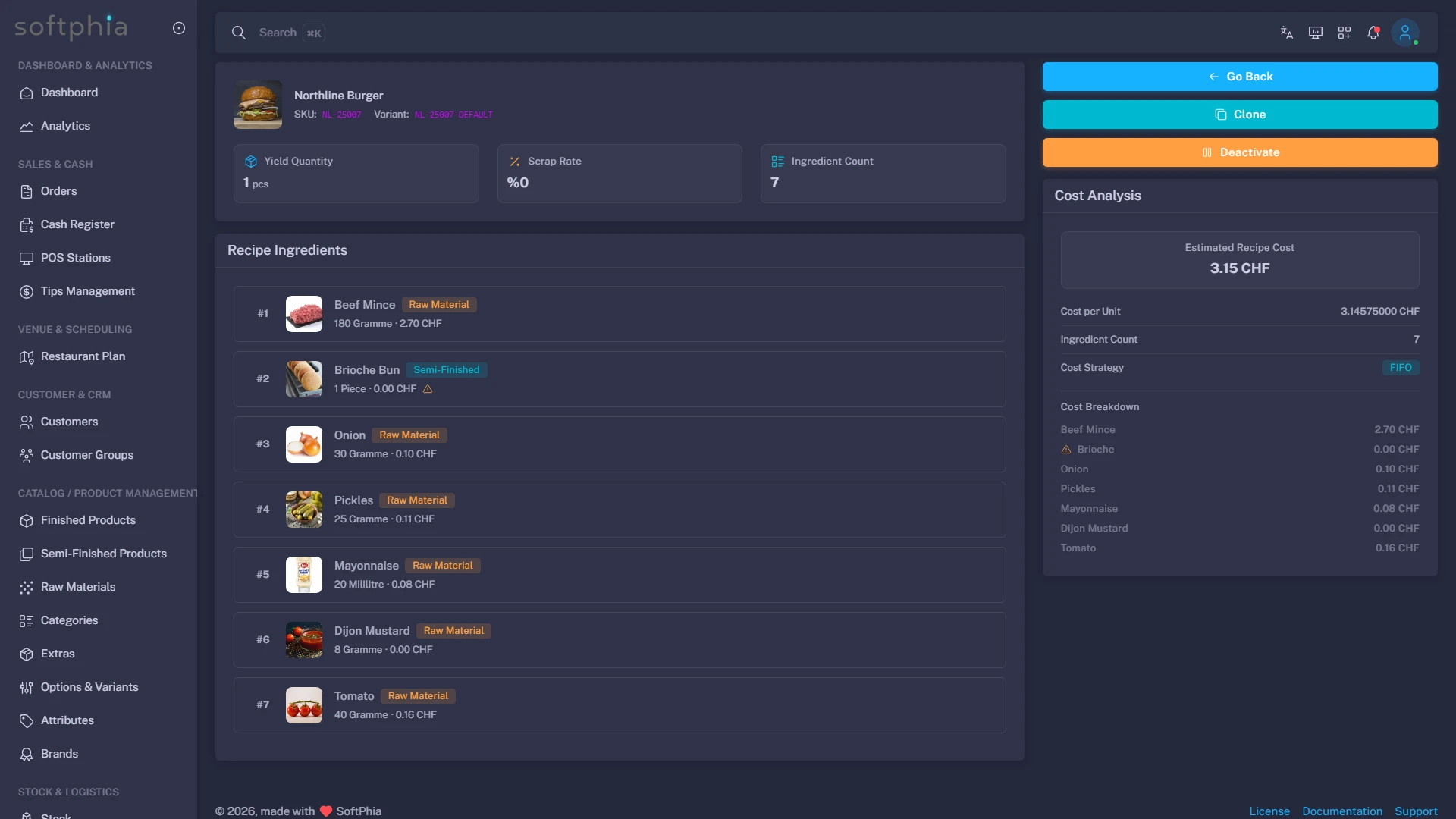
Recipes & BOM
Organize ingredients and material requirements in versioned recipes.
Production orders
Move an order from draft through production to completion.
Materials to finished stock
Deduct consumed materials and create an output lot when production completes.
Appointments & team
Put time, staff and resources on the same schedule.
Book appointments by branch, staff member and resource. Detect overlapping bookings, manage changes and cancellations, and keep workforce cost records alongside the operation.
Reception and management see the people and resources behind the working day.
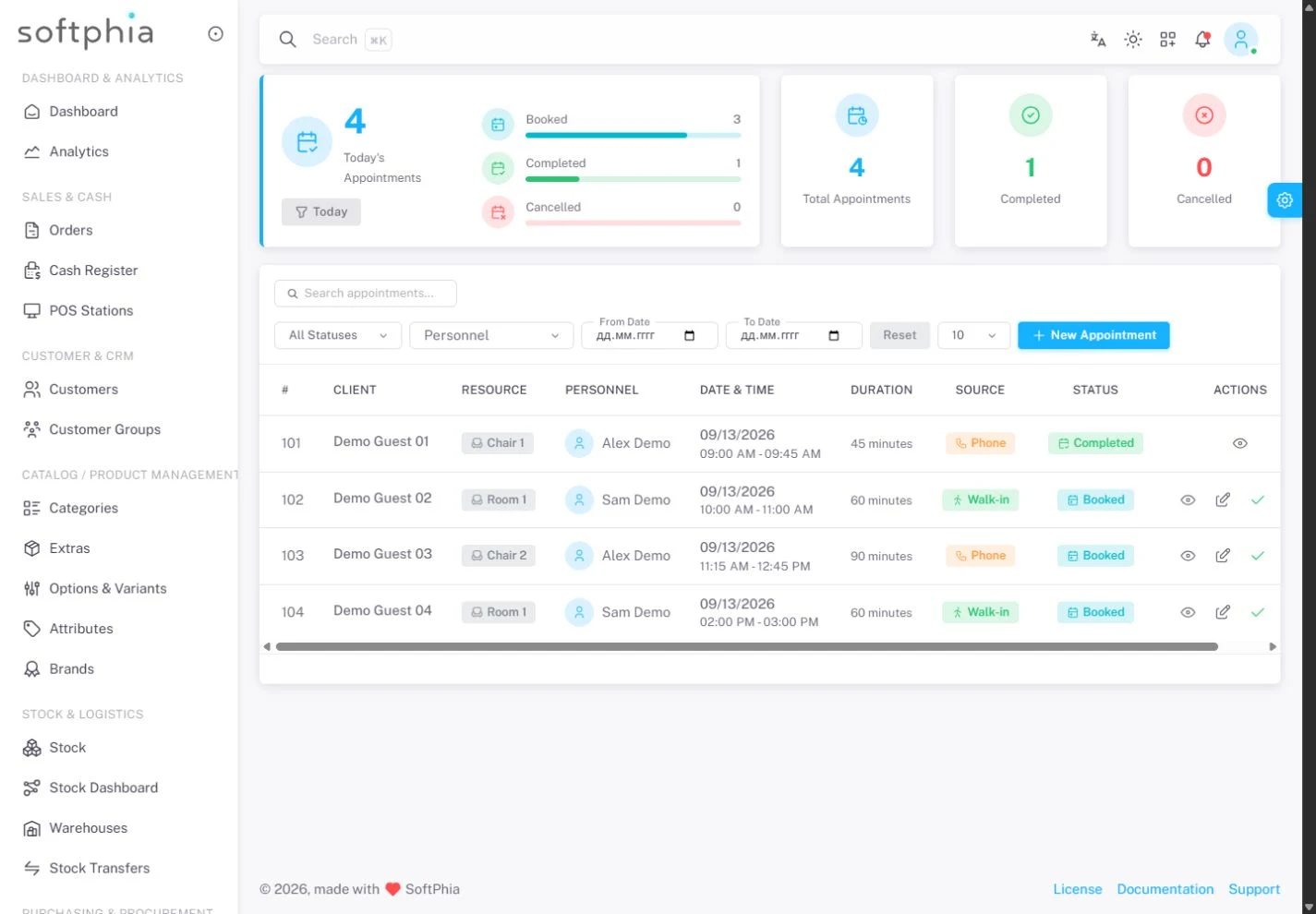
Appointment calendar
Book, update, complete and cancel appointments with customer details and notes.
Staff & resource availability
Check time overlaps for the selected staff member and bookable resource.
Personnel records
Organize employee profiles, departments and employment periods.
Workforce costs
Review planned personnel costs, time off and pay adjustments.
Swiss financial operations
Follow the money after the sale.
Review cash movement, supplier invoices and unpaid sales. Generate Swiss QR payment sections and import CAMT.053/054 statements for reconciliation.
The payment and the business transaction remain connected.
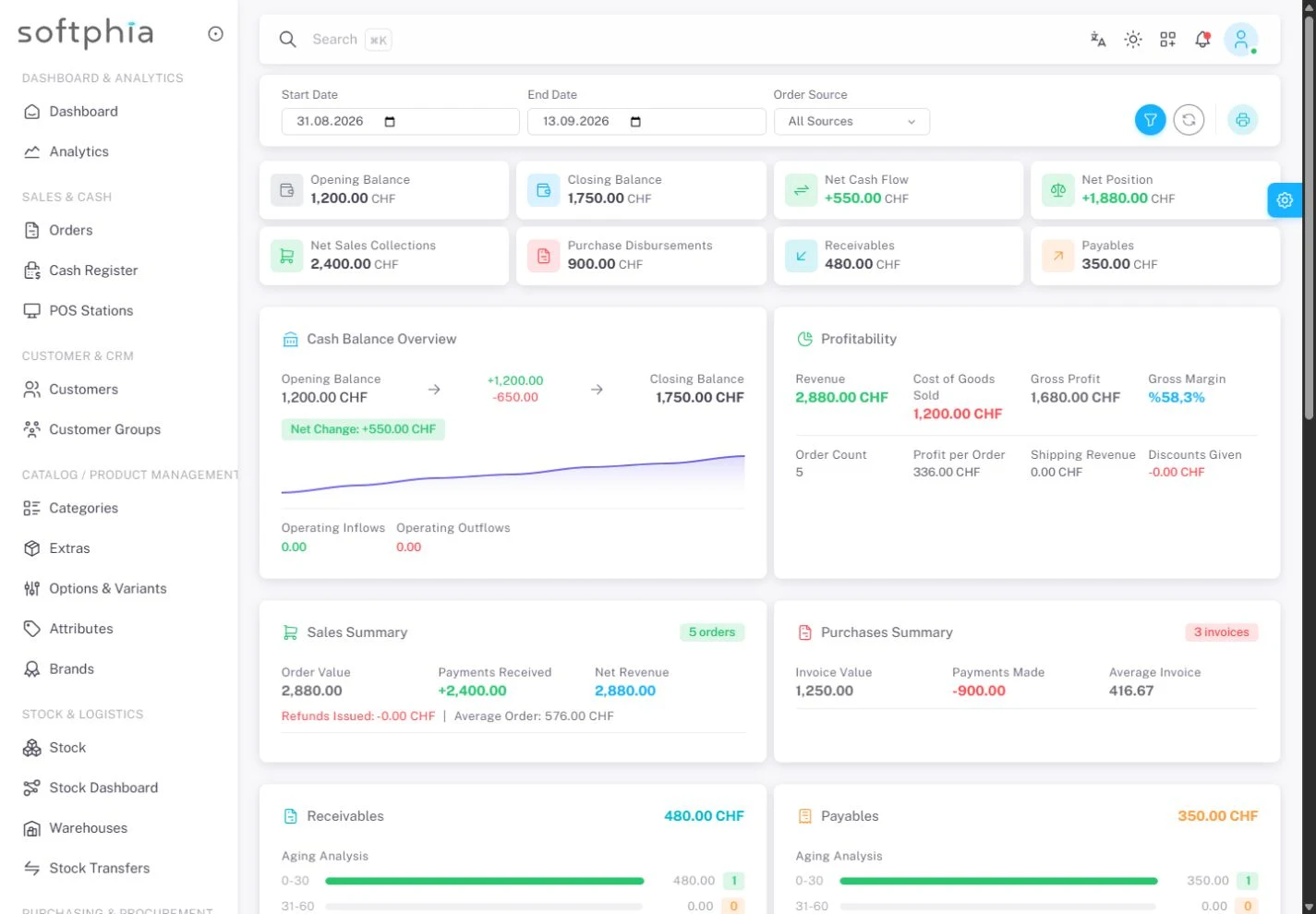
Cash movement
Record operating income and expenses in the cash ledger.
Operational finance
Review cash flow, sales collections and supplier payments in financial reports.
Swiss QR bills
Generate the Swiss QR payment section using invoice and bank-account details.
CAMT.053 / CAMT.054
Import bank statements, review matching suggestions and reconcile transactions.
Multi-location control
One operation, with clear responsibility at every branch.
Organize branches, users and permissions. Give each person access to their work and protect sensitive actions with two-factor verification.
Teams share a platform without sharing unrestricted access.
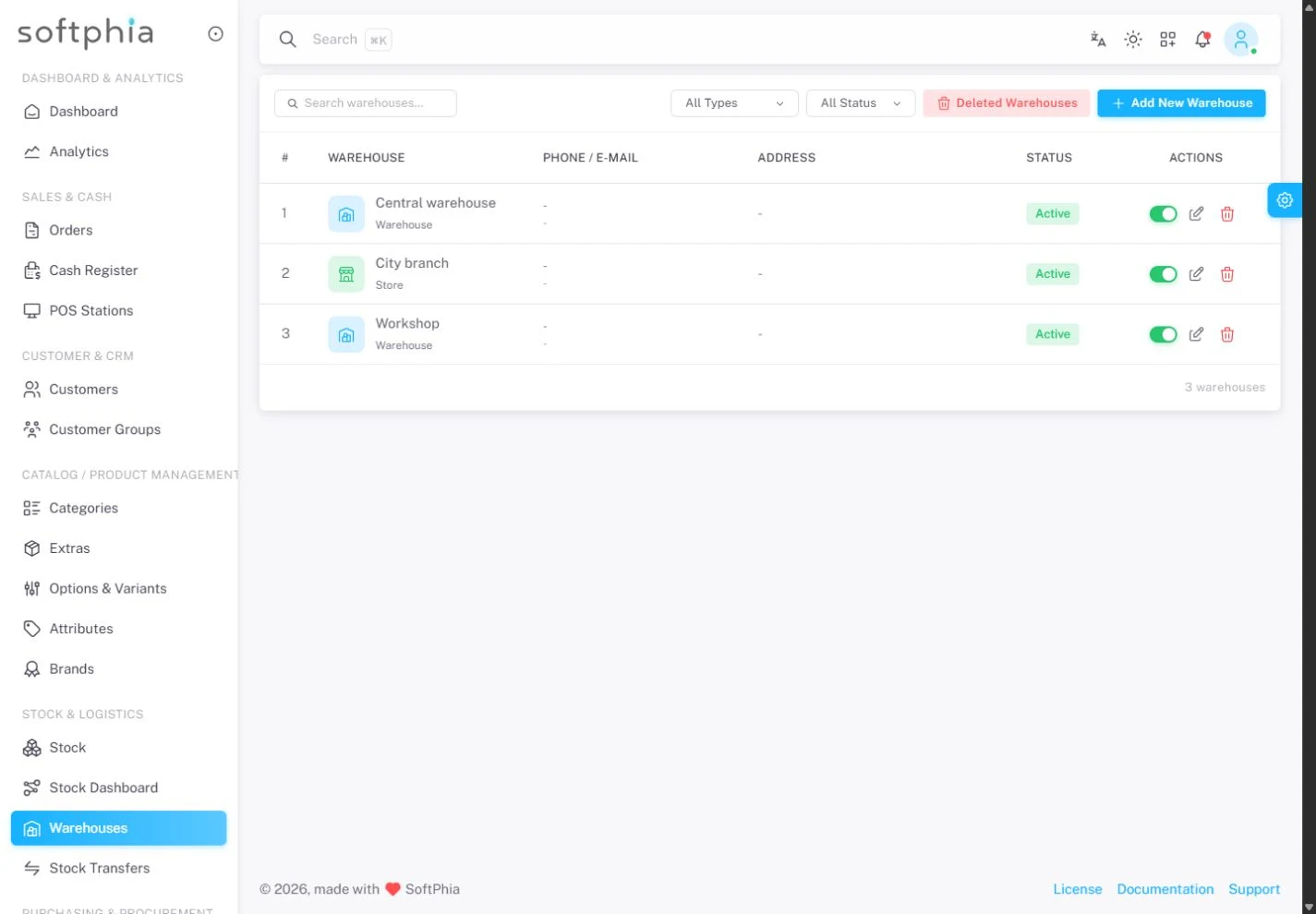
Branches & warehouses
Organize operating locations and their warehouse records.
Roles & permissions
Control access to operations through user permissions.
Two-factor verification
Protect sensitive actions with time-based verification codes.
Your next working day starts here.
Create your workspace. Choose your business profile, set up your branch and bring your team into Softphia.