
Lots & expiry dates
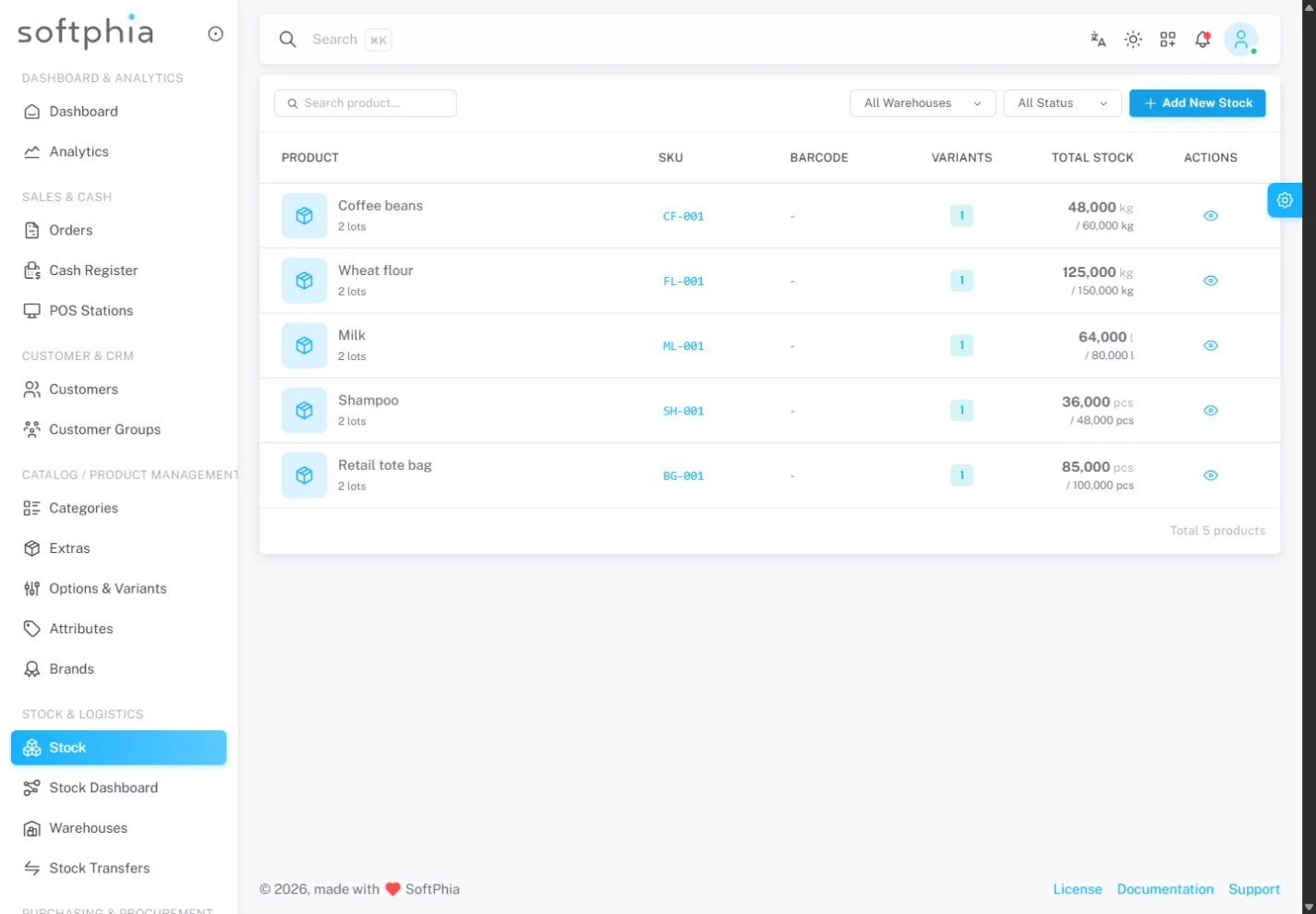
Track product quantities by lot and warehouse, with expiry dates and movement history.
Inventory & operations
Track operational supplies by lot, expiry date and warehouse. Use stock allocation strategies and receiving approvals to follow quantities across your locations.
Dental clinic inventory · medical practice inventory · cosmetic clinic inventory · veterinary inventory
THE QUESTIONS THAT MATTER
Which supplies need replenishing?
Where are items stored?
Who checks the stock?
YOUR WORKING DAY
Track operational supplies by lot, expiry date and warehouse. Use stock allocation strategies and receiving approvals to follow quantities across your locations.
Track product quantities by lot and warehouse, with expiry dates and movement history.
Allocate stock using FIFO, FEFO, LIFO or cost-based LCFO strategies.
Move stock between warehouses and record the quantities accepted at the destination.
Track purchase invoices and record supplier payments against them.
Organize operating locations and their warehouse records.
FOR THE OWNER
Work with lots, expiry dates and warehouse movements. Send stock between locations and record receiving approvals. Keep supplier invoices and their payments visible.
FOR THE TEAM
Stock decisions start with quantities and movements, not a separate spreadsheet.
BEFORE YOU START
Track product quantities by lot and warehouse, with expiry dates and movement history.
Allocate stock using FIFO, FEFO, LIFO or cost-based LCFO strategies.
Control access to operations through user permissions.
Start with the company registration form. Enter your business details, verify your email and select the business profile and modules for your operation.
The pricing page shows the modules Softphia recommends for each business profile and the add-ons you can choose. After registration, your workspace shows the included modules and usage limits.
THE RIGHT SCOPE
See the setup Softphia recommends for your business profile, what it costs and the add-ons you can choose.
A recommended setup is not listed here yet. Contact us and we will define the right setup and price for your business.
Schedule a demo ↗Tell us about your services, team and locations. We will define the setup and provide a written offer.