SoftEdge · When the internet fails, the tills keep working. Free.

Internet down? One phone keeps the whole business selling.

SoftEdge is Softphia’s backup line. A phone in the shop stays on your Wi-Fi and reaches Softphia over its own mobile data. If the internet fails, the tills and kitchen screens switch to the phone by themselves within seconds, and back again when the internet returns. Printers and card terminals stay on the local network as before.

Runs on
Android and iPhone
Languages
English, German, French, Italian, Turkish, Spanish, Portuguese, Russian
Price
Included, free of charge

SoftEdge

What it does

How it works

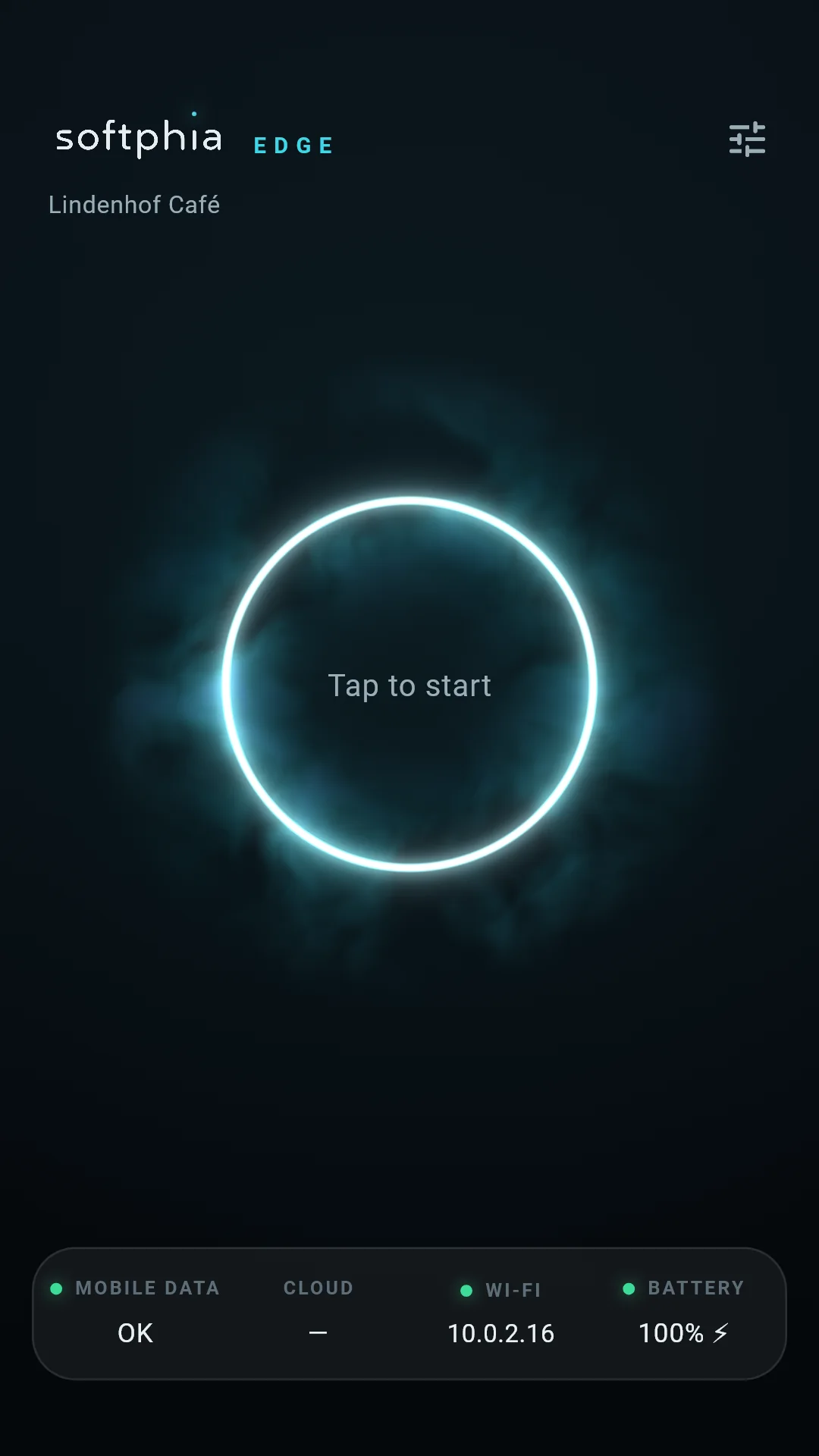
  • Connect a phone with mobile data to the shop Wi-Fi, sign in with your panel account, choose the branch and start SoftEdge
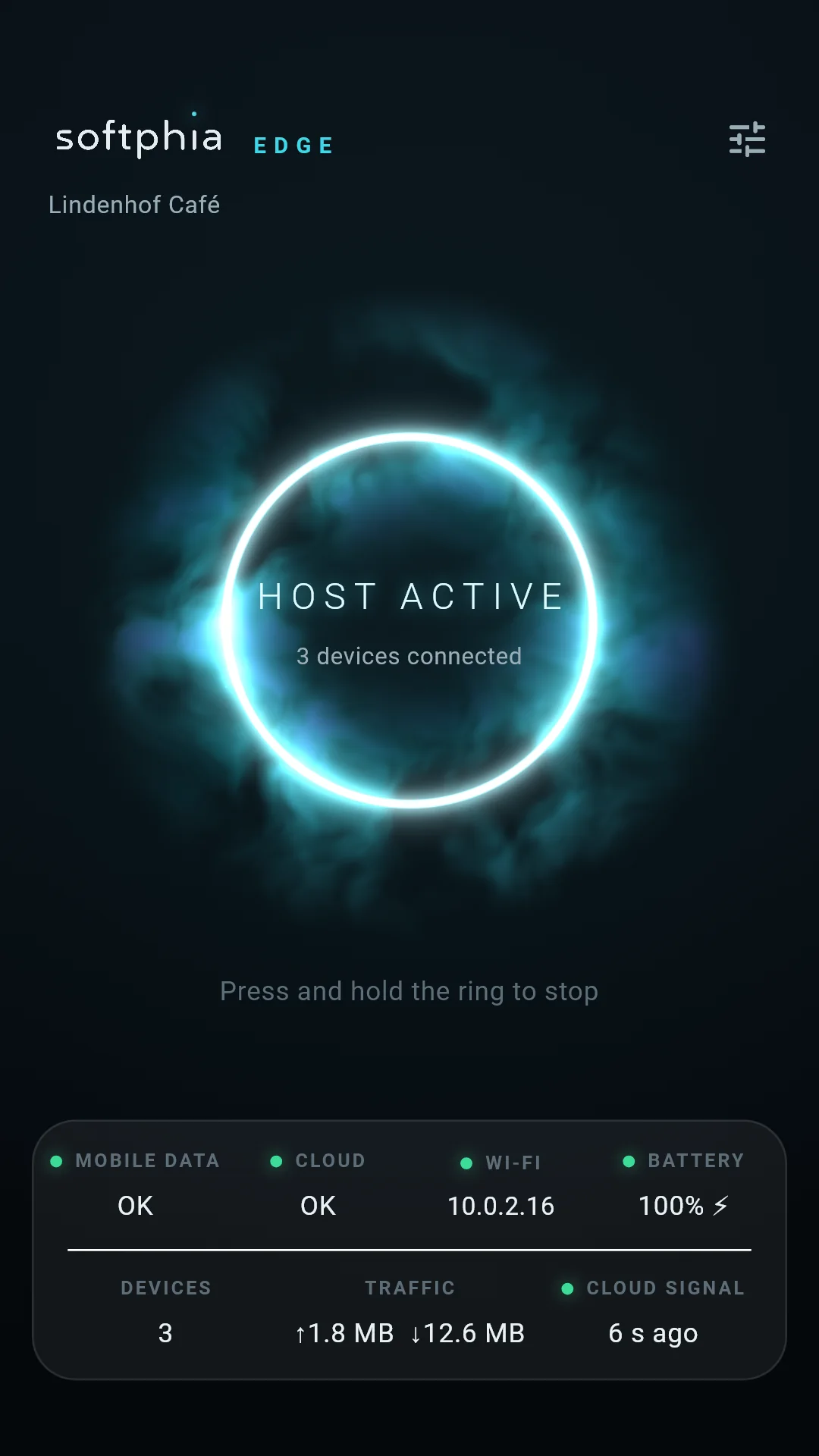
  • When the internet fails, SoftPOS tills and SoftKitchen screens switch over by themselves; a slim line at the top shows that the backup line is in use
  • When the internet is back, they return to their normal line by themselves; SoftEdge stays ready for the next outage
  • A drill sends a real request through the backup line, so you know it works before you need it

Only your Softphia traffic

  • The phone carries only the connections of your own Softphia apps, and only to Softphia’s servers; every other destination is refused
  • Traffic stays encrypted end to end; the phone passes it on without reading it
  • Every till and kitchen screen identifies itself with its own certificate and a pass signed by Softphia; keys are renewed daily, and a till removed in the panel loses access within half a minute
  • Printers and payment terminals never go through the phone

In your control

  • A 6-digit PIN, kept only on the phone, protects start, stop, takeover and settings
  • One active phone per branch; another phone can take over
  • Setup checks mobile data, Wi-Fi, notifications and battery settings; an event log records what happened
  • Owners see each branch’s backup line in SoftBoss and get a notification when the SoftEdge phone cannot be reached

Android and iPhone

  • Android: SoftEdge runs as a service with a permanent notification, so the screen can lock; keep the phone on the charger
  • iPhone: SoftEdge works while it is open on the screen. After 30 seconds the screen goes dark and shows a moving “please do not touch” sign; if you leave the app or lock the phone, the backup line may stop. Keep the iPhone on the charger and open SoftEdge again to continue

What you need

  • A Softphia business account; SoftEdge is switched on for every business
  • A phone with mobile data, on the same Wi-Fi as the tills, ideally on the charger; it uses a little data while standing by and more during an outage
  • SoftPOS on the tills and SoftKitchen on the kitchen screens
  • A panel user allowed to manage SoftEdge

What it does not do

  • It is not an offline till: there is no local database and nothing to sync; Softphia’s cloud stays the only record
  • It is not a general internet hotspot: only Softphia traffic, only to Softphia
  • It does not carry printers or card terminals, which stay on the local network
  • On iPhone it cannot keep working after the app is closed; the phone must stay on screen

Get the app

Download the app free from Google Play and the App Store.

SoftEdge works together with SoftPOS and SoftKitchen.

Questions and answers

What is SoftEdge, and what does it cost?

SoftEdge is Softphia’s failover line. When the internet in your business goes down, a phone in the shop keeps your SoftPOS tills and SoftKitchen screens connected: it stays on your Wi-Fi and reaches Softphia over its own mobile data. The tills switch to the phone by themselves and back again when the internet returns.

SoftEdge is free and stays free: no subscription, no add-on, no in-app purchase. It is switched on for every Softphia business, because an internet outage must never stop your sales.

It is not an offline till: there is no local database and nothing to sync. Softphia’s cloud stays the only record, and your tills work through the phone exactly as they work through your router.

What do I need for SoftEdge?
  • One phone with mobile data, Android or iPhone, connected to the same Wi-Fi as your tills and kitchen screens, ideally on the charger.
  • The SoftEdge app on that phone, signed in with a Softphia panel user who is allowed to manage SoftEdge. You choose the branch the phone serves.
  • SoftPOS on the tills and SoftKitchen on the kitchen screens.

That is all. No router settings, no cables and no hardware to buy. The phone uses a little mobile data while it stands by and more during an outage, because the tills’ traffic then goes through it.

How does the switch-over work, and how do the tills come back?

While everything is normal, the tills talk to Softphia through your router, and the SoftEdge phone only stands by: it checks the shop’s internet and reports to Softphia every 30 seconds that it is ready.

When the internet fails, each till notices that Softphia no longer answers and, within seconds, sends its traffic to the phone instead. The phone passes it on over mobile data. A slim line at the top of SoftPOS and SoftKitchen shows that the backup line is in use. Sales, kitchen tickets, receipts and card payments continue; printers and card terminals stay on the local network as before.

When the internet is back and stable, the tills return to the direct line by themselves, about a minute later, and the line at the top disappears. SoftEdge stays ready for the next outage.

A drill in the SoftEdge app sends a real request through the backup line, so you can check that everything works before you ever need it.


Can I use an iPhone as the SoftEdge phone?

Yes. On an iPhone, SoftEdge works while the app is open on the screen.

  • After 30 seconds without a touch, the screen goes dark and shows a moving “please do not touch” sign; a tap brings the details back.
  • If you leave the app, lock the phone or switch to another app, the backup line may stop. Open SoftEdge again to continue.
  • Keep the iPhone on the charger, and keep it on the shop Wi-Fi: if iOS asks whether to use mobile data because the Wi-Fi has no internet, keep the Wi-Fi.

SoftEdge cannot promise anything once the app is closed, so for a phone that must run unattended, an Android phone is the simpler choice.

What about an Android phone?

On Android, SoftEdge runs as a service with a permanent notification, so the screen can lock and the phone can sit on the charger in a drawer. The setup checks mobile data, Wi-Fi, notifications and battery settings, and on some phones, such as Xiaomi, it guides you to allow the app to start by itself and to run without battery restrictions.

What does SoftEdge not do?
  • It is not an offline till. Without the phone’s mobile data there is no sale: Softphia’s cloud stays the only record.
  • It is not a general internet hotspot. The phone carries only the connections of your own Softphia apps, and only to Softphia’s servers; every other destination is refused.
  • It does not carry printers or card terminals. They stay on the local network, where the tills reach them directly.
  • It does not keep working on an iPhone after the app is closed or the phone is locked.
  • It does not replace a stable internet connection. It bridges an outage.
Frequently asked questions

More Softphia products

Your next working day starts here.

Open your workspace, pick your kind of business and bring your team in. Garage, salon, shop or café: the setup is ready for you.