SoftPanel · The back office in your browser.

Everything the business needs to run, in one browser tab.

SoftPanel is where you set up and run the business: catalogue and prices, customers, quotes that turn into invoices, purchasing, money accounts, staff, branches and every setting of your tills. Open it in any browser; there is nothing to install.

SoftPanel · The back office in your browser.
Runs on
Any web browser
Languages
English, German, French, Italian, Turkish, Spanish, Portuguese, Russian
Price
Part of Softphia Core · See the price list

SoftPanel

What it does

Included in Softphia Core

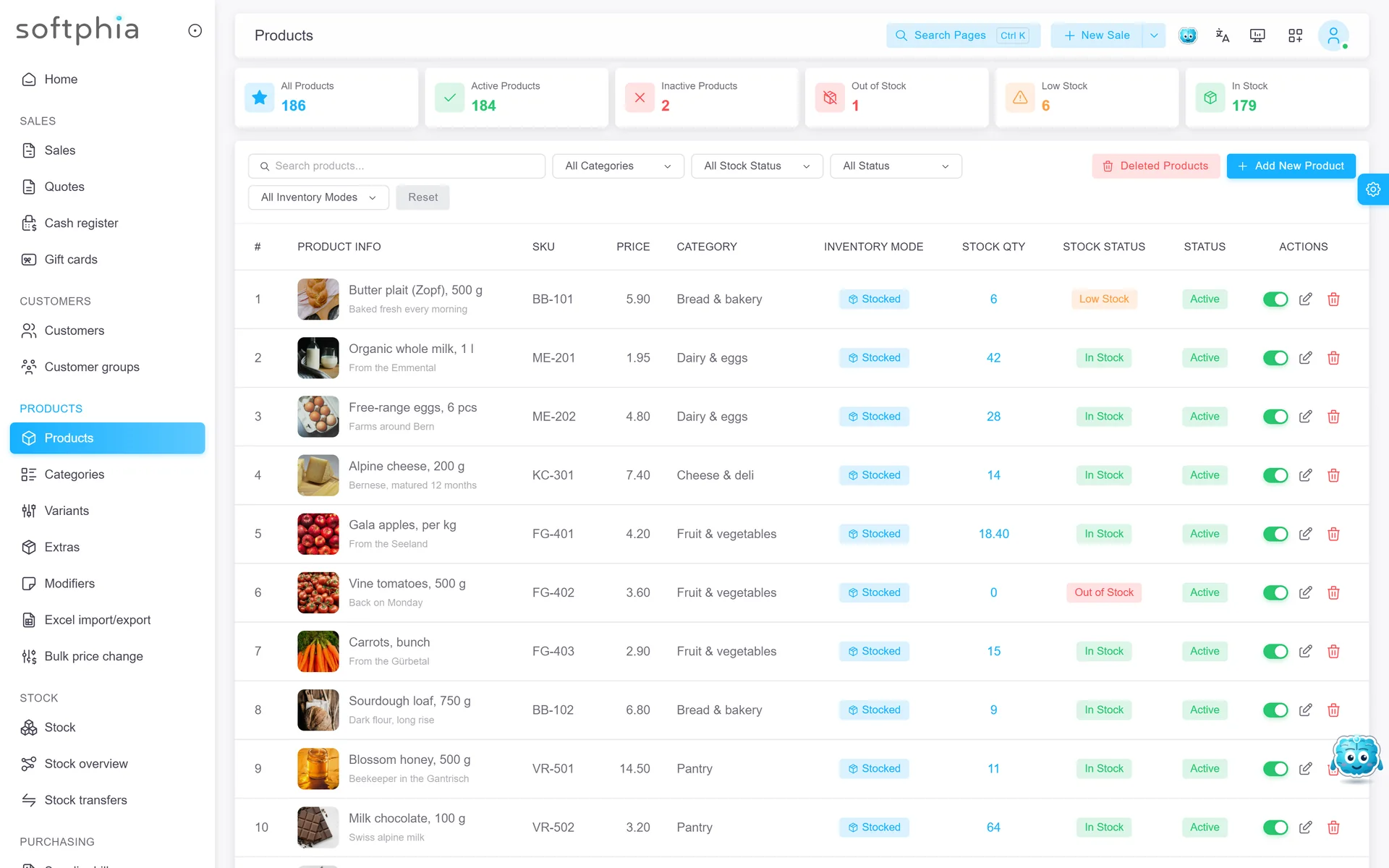
  • Products and services with variants, barcodes, prices and VAT
  • Customers and suppliers
  • Quotes that become invoices, unpaid invoice tracking, payments and refunds
  • Purchasing and supplier bills
  • Money accounts, cash book, finance overview and VAT summary
  • Swiss QR bill on invoices (Switzerland and Liechtenstein, CHF, with your IBAN)
  • Users, roles and permissions; an authenticator app for a second factor
  • Excel import and export of your catalogue
  • Documents and PDFs in the business’s language

With the modules you choose

  • Inventory: stock per location with lots, expiry dates, goods receipts and transfers
  • Recipes and Production: ingredients, batches and finished stock with their cost
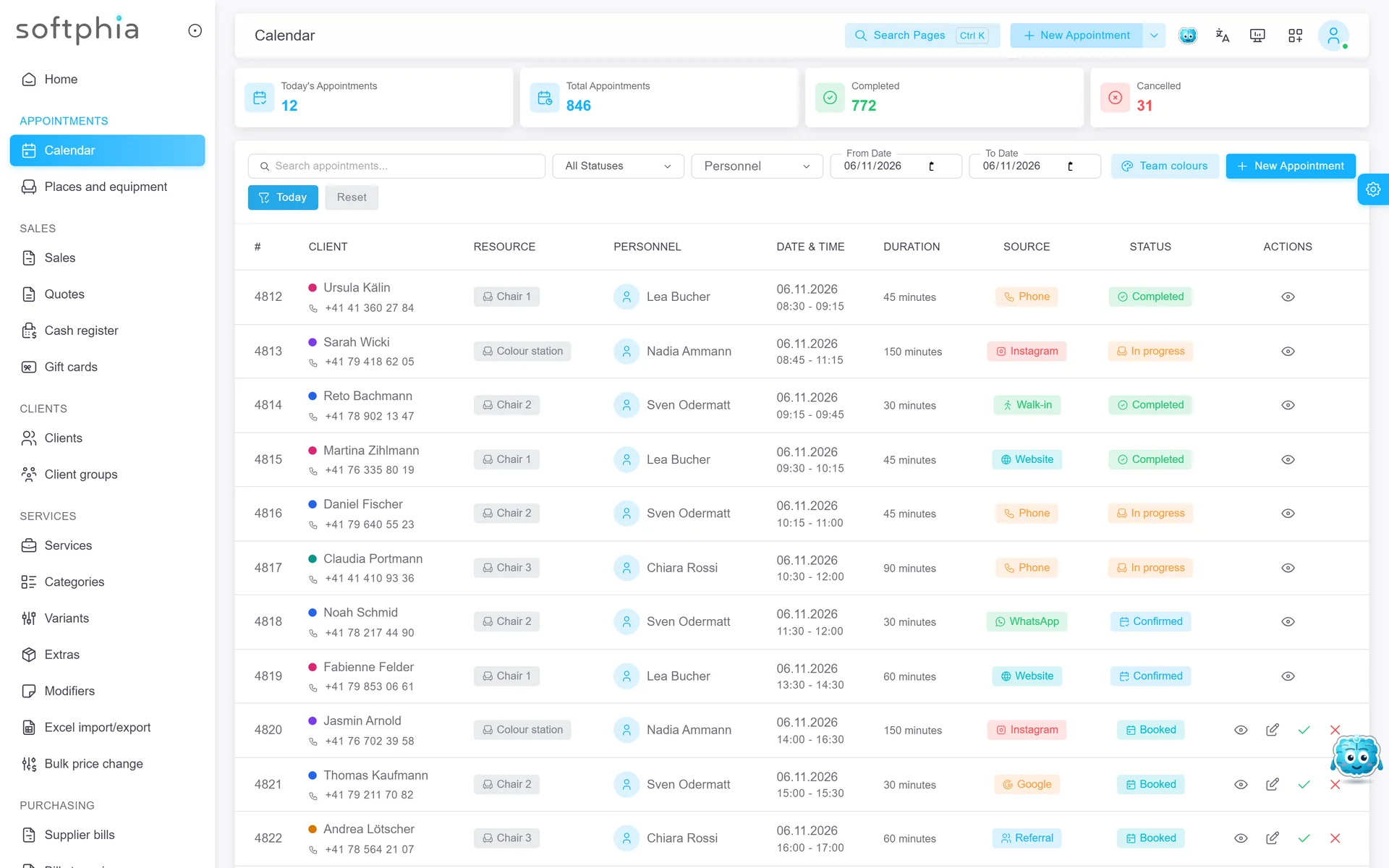
  • Appointments: a shared calendar for staff, services and resources, with no double bookings
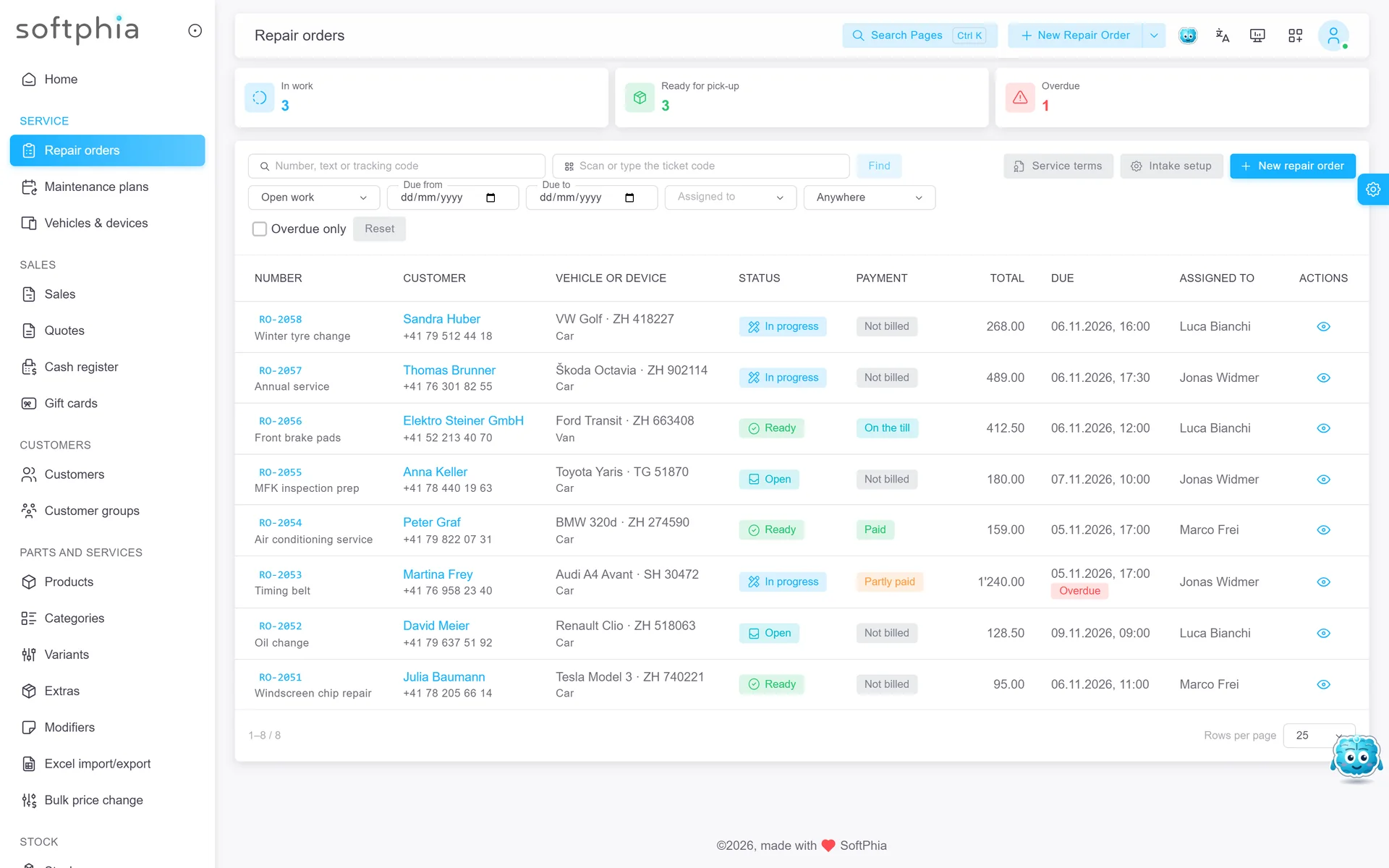
  • Work orders: jobs from drop-off to handover, with tags, tracking codes, vehicles and devices on file, and maintenance plans
  • Table management: floor plan, table status and reservations
  • Staff & HR: staff records, departments, employment periods and time off
  • Analytics: sales and profit compared with earlier periods, busiest hours, top products, with exports
  • Reconciliation: camt.053/054 bank statements matched to your invoices
  • Email and SMS: confirmations, reminders and order-ready messages, switched on per event

Always with you

  • SoftSI, the assistant, with 500 credits a month included
  • SoftEdge, the free failover line, managed from the panel
  • Your subscription, modules and capacity, changed by yourself at any time

What you need

  • A Softphia account: the free trial starts here, without a card
  • Any current browser on a computer or tablet

What it does not do

  • No online shop and no online booking page for your customers
  • No statutory accounting or payroll; the finance figures and exports go to your accountant

Open the panel

Questions and answers

What is Softphia?

Softphia is business software for the working day of a garage, a salon, a shop, a dry cleaner, a repair shop, a restaurant or a small producer. Sales, customers, invoices, stock, appointments, work orders and money live in one place, so what you do at the counter never has to be typed in again in the office.

The products

  • SoftPanel runs in your web browser. It is the back office: products, customers, quotes and invoices, purchasing, money accounts, users and settings.
  • SoftPOS is the till app for an Android tablet, an iPad or a Windows computer. It comes with the Point of sale module and shows the screens your trade needs: work orders in a garage, chairs and appointments in a salon, tables in a restaurant.
  • SoftBoss is the app for owners and managers: the day’s figures and the finances on your phone, and SoftSI to ask questions.
  • SoftSI is the assistant built into the panel, the till, SoftBoss and this website.
  • SoftSMS is Softphia’s prepaid SMS credit for reminders and order messages.
  • SoftEdge keeps the tills connected over a phone’s mobile data when your internet fails. It is free.
  • SoftKitchen, for restaurants, shows orders on a screen in the kitchen, with production orders and recipes. It needs the Kitchen display add-on.

How it is put together

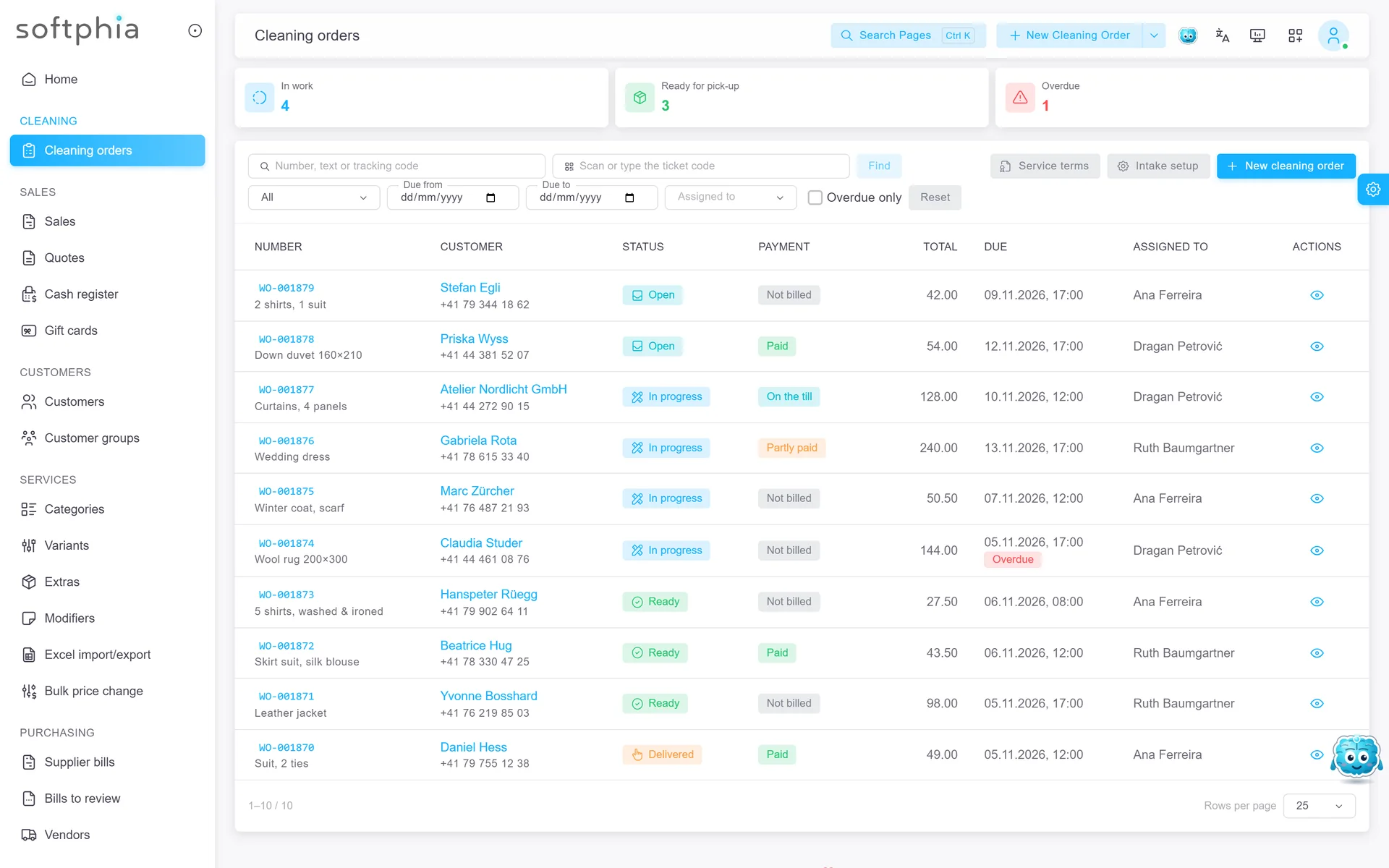
Every subscription includes Softphia Core. You add the modules and add-ons your business needs, such as Inventory, Appointments or Work orders, and pay only for what you choose. The kind of business you pick at sign-up suggests a starting set and uses your trade’s word for a job on screen: repair orders at a garage, cleaning orders at a dry cleaner.

Which kinds of business can use Softphia?

At sign-up you choose a group and then the kind of business closest to yours. Softphia offers:

  • Vehicle, device & equipment service: Auto garage, Phone repair, Technical service, Machinery service, Heating & air conditioning, Lift maintenance.
  • Beauty & wellness: Barber, Nail studio, Tattoo studio.
  • Item care & repair: Dry cleaning, Laundry, Tailor, Shoe repair, Watch & jewellery repair.
  • Retail: Minimarket, Grocery, Boutique, Pet shop.
  • Food & drink: Restaurant, Café, Bar, Takeaway, Bakery.
  • Manufacturing: Small manufacturer.
  • Other: Other business, if nothing fits. You start with the essentials and add what you need.

Your kind of business suggests a starting set of functions and puts your trade’s word for a job on screen: a garage sees repair orders, a dry cleaner cleaning orders, a tailor jobs. It never hides a function you pay for and does not change the price.

For Auto garage, Dry cleaning, Tattoo studio, Minimarket and Restaurant, Softphia covers the whole daily flow, tested end to end; for the other kinds, the existing modules carry the whole flow. For Pet shop and Small manufacturer, Softphia covers the core work; their answers below list what it does not cover.

Which countries is Softphia made for?

Switzerland and Liechtenstein. Softphia is built in Fribourg, and the Swiss way of doing business is built in from the first day:

  • prices and invoices in Swiss francs;
  • the Swiss QR bill on your invoices, with your IBAN;
  • the Swiss VAT rates and a VAT summary;
  • camt.053/054 bank statements matched to your invoices;
  • 0.05 cash rounding at the till;
  • German and French in Swiss spelling and wording.

You choose Switzerland or Liechtenstein at sign-up, and the VAT rates, the currency, the time zone and the document rules are set for you. The panel, the apps and this website speak English, German, French, Italian, Turkish, Spanish, Portuguese and Russian.

Can I limit what each employee can do?

Yes. Access in Softphia works with roles, and this is included in Softphia Core.

  • A role is a set of permissions, such as seeing products or creating refunds. You create your own roles, for example one for mechanics and one for the front desk, or one for cashiers and one for managers, and give each user a role.
  • The person who signs up holds the admin role, which has every permission.
  • Menu items and screens that a role does not allow are hidden. The same roles apply in the Softphia panel, at the till in SoftPOS and in SoftBoss.
  • Every change to roles, and to who holds them, is kept in a change history.

At the till

Staff sign in to SoftPOS with their own PIN, or with an NFC card on devices that read one. Some actions can be left to managers: opening or closing the till, changing a price or giving a discount, voiding a line already sent on, and refunds. When a cashier without the permission starts one of them, a manager of the same branch confirms it on the spot with their PIN or card, and Softphia records who approved it.

Can I run several shops or branches?

Yes. Each location of your business, such as a shop, a workshop, a salon or an office, is a location under Settings › Business › Branches and warehouses. One location is included in every subscription, and each Additional location pack adds one more.

What belongs to a location:

  • Tills and staff: every POS station and every user is assigned to one location, and a till sells from its own location.
  • Invoice numbers: each location has an invoice prefix that starts the numbers of its sales.
  • Working hours, which decide the free times for appointments.
  • In a restaurant, its own floor plan, kitchen stations and printers.
  • Stock: with the Inventory module, stock is kept per location. You move goods between locations with stock transfers, and the receiving location confirms what arrived.

Your product catalogue and your customers are shared by all locations, and gift cards are valid at every branch.

Which reports does Softphia include?

Softphia Core includes the main figures in the Softphia panel:

  • Home: sales, collections, open balances and the cash and bank balance of a period.
  • Finance overview: money accounts, cash book, receivables, payables, profit and VAT, with printable reports and an Excel workbook.
  • VAT and accounting: a VAT summary and checks of sales and payments.

Modules add their own reports:

  • Analytics compares sales and profit with earlier periods and shows the busiest hours, top and weak products, customers, staff and payment methods, with CSV exports.
  • Inventory adds the Stock overview with stock value, critical stock and movements.
  • Point of sale adds the X and Z reports of every till shift and a daily report in SoftPOS.
  • Staff & HR adds Staff costs.
  • Reconciliation shows how many bank statement lines are matched.

On the go, SoftBoss shows the home figures and the finance overview on the phones of owners and managers.

Frequently asked questions

More Softphia products

Your next working day starts here.

Open your workspace, pick your kind of business and bring your team in. Garage, salon, shop or café: the setup is ready for you.